Last week gave us a good reminder that AI isn’t standing still. OpenAI launched a new tool called ChatGPT Work, built on its latest model family, GPT‑5.6, while Anthropic extended free access to its powerful Claude Fable 5 model for paid users.
On top of this, Microsoft’s own Copilot keeps quietly getting smarter in the background, now running on that same GPT‑5.6 model family too.
Three major providers moving in the same week is a good sign of where this is heading, and it’s exactly why I want to talk about governance rather than just the tools themselves.
What just happened
ChatGPT Work arrives
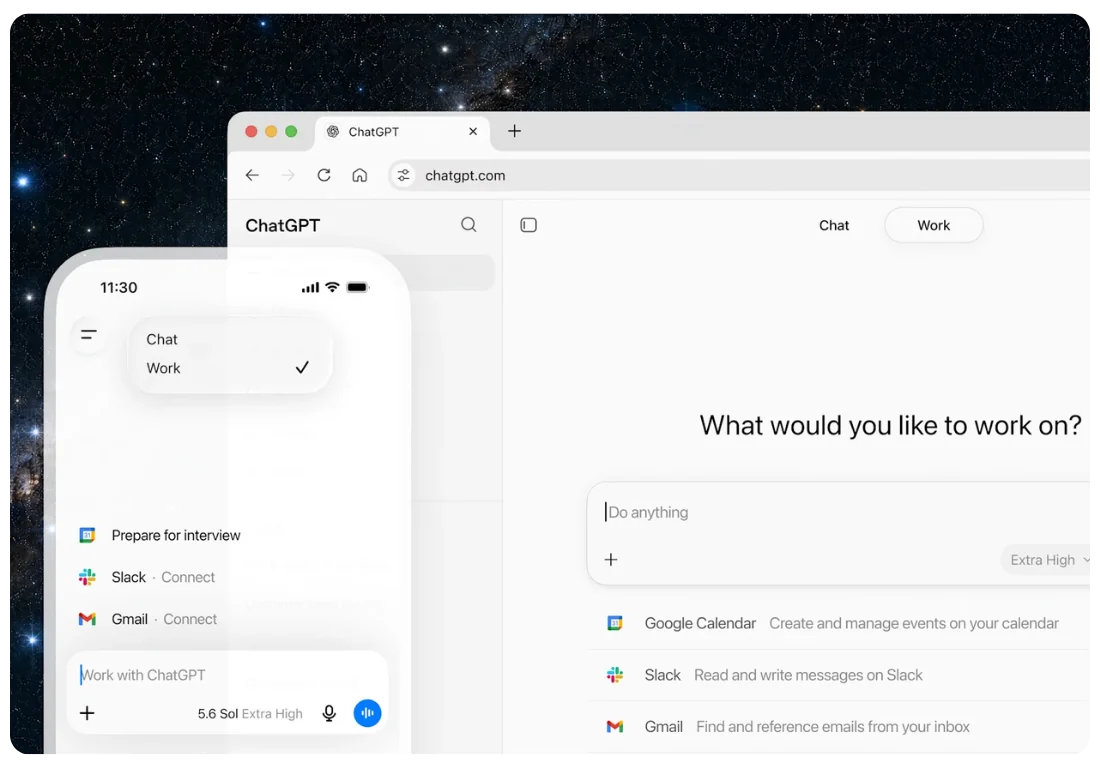
On 9 July, OpenAI released ChatGPT Work, and it’s not just a chat window anymore. This new mode lets ChatGPT take on longer, more complex jobs, so you give it a task and it can work across your files and apps to produce a finished document, a presentation, or even a simple website.
It’s powered by GPT‑5.6, OpenAI’s newest model family, which comes in three versions: Sol (the most powerful), Terra (a solid middle option) and Luna (fast and cheap for simple tasks).
Think of it less like a chatbot and more like a junior staff member who can be handed a brief and come back later with a draft, which is why tech circles have been buzzing about it all week.
Claude Fable 5 sticks around a little longer
Meanwhile, Anthropic has extended access to Claude Fable 5, its most capable public model, through mid‑July for paid users. Fable 5 is built for long, complicated tasks and has guardrails that block risky requests around things like cybersecurity, stepping back to a safer model when needed.
Anthropic has also rolled out new controls for business customers, including better visibility into who’s using what, spend alerts so costs don’t creep up unnoticed, and the ability to decide which teams get access to which model.
That last point matters for any leader watching a budget, because it means you can start treating AI access the same way you treat software licences, matching the tool to the job rather than giving everyone the most expensive option by default.
Copilot keeps evolving too
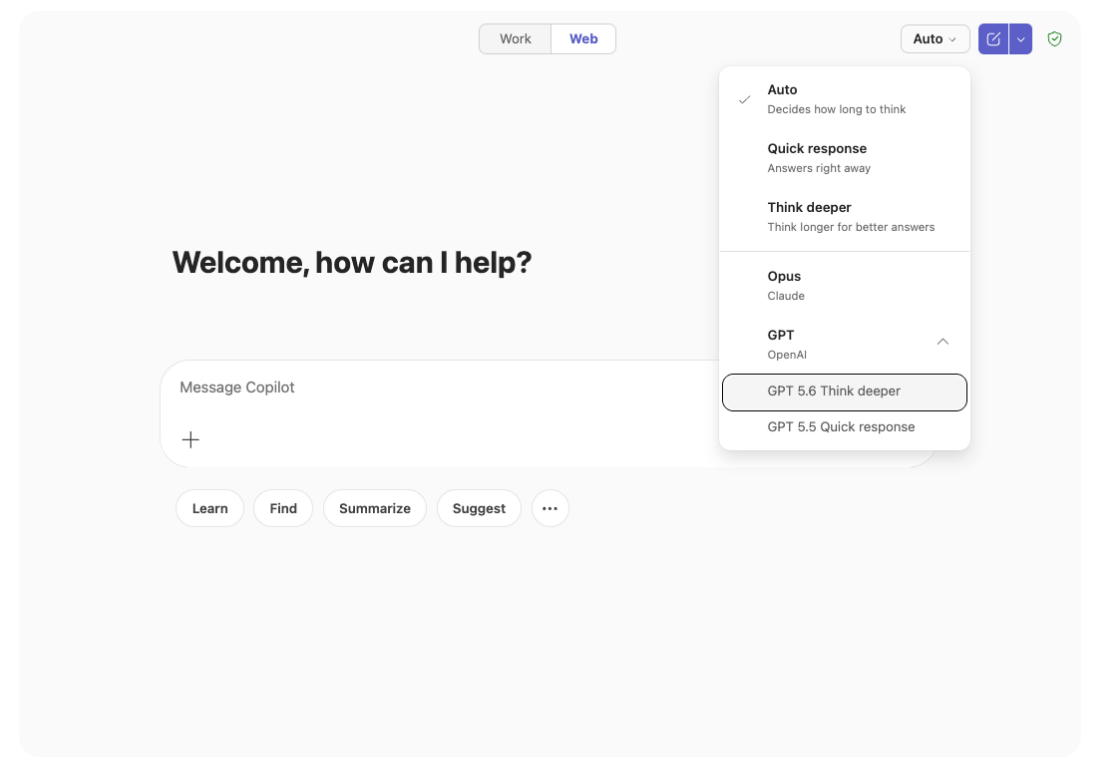
It’s easy to forget that Microsoft 365 Copilot isn’t standing still either, and it’s now drawing on the same GPT‑5.6 model family that powers ChatGPT Work. So the improvements you’re hearing about aren’t just an OpenAI story, they’re flowing into the tools your teams already use every day in Word, Excel and Outlook.
We’ve written before about how Copilot’s agent mode has been changing what these assistants can actually do on their own, and this is another step in that direction.
Why this matters for your business
Three different AI providers just made significant moves within days of each other, and that alone tells you this space isn’t slowing down for anyone’s IT policy to catch up.
As a leader, you’re not in the business of selling AI, and you don’t need to pick a side between OpenAI, Microsoft and Anthropic.
What you need is a sensible way to give your teams the right tool for the right job, without ending up with unmanaged accounts, unclear data rules, and nobody quite sure who’s using what.
The productivity upside
Used well, these tools genuinely save time for the people doing the work. ChatGPT Work can take a brief and produce a working draft while your team focuses on higher value work, Claude Fable 5 handles long, detailed tasks that used to eat up hours, and Copilot, sitting right inside the Microsoft apps your staff already know, can summarise, draft and analyse without anyone needing to learn a new system.
None of this replaces good judgement, but it does mean fewer hours spent on first drafts, routine reports and repetitive admin, freeing your best people up for the work that actually needs their attention.
The risk that often gets missed
Here’s what worries me more than the technology itself: leaders adding new AI tools one at a time, without ever stepping back to ask who can access what, and where their data actually goes.
If someone on your team signs up for ChatGPT Work with a personal account and starts feeding it client files or project data, that’s a data governance gap, plain and simple, and if another team is trialling Claude without anyone in IT knowing, that’s another gap sitting right alongside it.
Multiply that across a business with fifty, a hundred or five hundred staff, spread across sites, subcontractors or service locations, and you’ve got a real problem hiding in plain sight.
This is exactly why we talk so much about governance at CG TECH, and we put together a broader look at this in our piece on unified AI governance, which covers how to set consistent rules across every AI tool your business touches, not just the ones from Microsoft.
Five moves worth making this week
If you want to get ahead of this rather than react to it later, here’s where I’d start.
Find out what’s already being used
Ask your leaders, honestly, what AI tools their teams are using day to day, because you’ll probably be surprised.
Set one simple rule first
No client data, patient data, project data or financial data goes into a personal AI account, and that single rule closes off a huge chunk of risk straight away.
Match the tool to the task
Simple emails and summaries don’t need your most expensive AI model, so save the heavier tools like Fable 5 or GPT‑5.6 Sol for the jobs that actually need that horsepower.
Review who has access to what
Anthropic’s new entitlement controls are a good example of what “good” looks like here, letting you decide which teams get which model, and Microsoft 365 has similar levers if you know where to look.
Don’t skip the basics
Before rolling Copilot or any AI tool out more broadly, it’s worth checking your sharing permissions and data labels are in decent shape, something we covered in detail in Beyond the Licence Fee, and it’s still one of the most overlooked steps.
A quick word on always-on agents
It’s also worth mentioning that this isn’t just about chat tools anymore. Microsoft’s Scout is an example of an AI agent that runs continuously in the background rather than waiting for someone to ask it something.
We wrote a full explainer on Microsoft Scout if you want to understand how that’s different from the Copilot most people know, and what it might mean for teams handling sensitive information day to day.
The direction is clear. AI tools are moving from “answer my question” to “get this done for me,” and that’s exciting, but it also means the stakes for governance are climbing right alongside the capability, especially for leaders responsible for regulated data, client trust or community safety.
Where this leaves you
You don’t need to adopt every new AI release the moment it lands. What you do need, as a leader, is a clear, simple approach to how AI gets used across your organisation, one that covers Microsoft’s tools and anything else your teams pick up along the way.
At CG TECH, this is exactly the work we help leaders with every day, from readiness assessments through to governance frameworks that actually make sense for your organisation, not just a document that sits in a drawer.
If last week’s flurry of AI news left you wondering whether your business is keeping up safely, that’s a good sign it’s time for a conversation.
Get in touch with our team and let’s map out what a sensible, secure AI approach looks like for your business.
About the Author
Carlos Garcia is the Founder and Managing Director of CG TECH, where he leads enterprise digital transformation projects across Australia.
With deep experience in business process automation, Microsoft 365, and AI-powered workplace solutions, Carlos has helped businesses in government, healthcare, and enterprise sectors streamline workflows and improve efficiency.
He holds Microsoft certifications in Power Platform and Azure and regularly shares practical guidance on Copilot readiness, data strategy, and AI adoption.

Sources
- OpenAI, ChatGPT Work launch and capabilities: Reuters, OpenAI, SiliconANGLE
- GPT‑5.6 model family details: LinkedIn, GPT‑5.6 Is Almost Here
- Microsoft 365 Copilot and GPT‑5.6 integration: Deadsimplecomputing
- Claude Fable 5 launch, guardrails and pricing: CNBC, Fullstack
- Claude Fable 5 extended access: Forbes, Gigazine
- Anthropic Claude Enterprise controls: Instagram, thecommissiondesk