I’ve been watching Copilot Cowork move through Microsoft’s Frontier testing program since March 2026, and I’ve had a lot of conversations with business leaders who were curious but waiting.
The wait is over. On 16 June 2026, Microsoft made Copilot Cowork generally available to all Microsoft 365 Copilot tenants worldwide.
This isn’t just another feature update. It’s a shift in what AI can actually do inside your business, and if you’re still thinking of Copilot as a chatbot that writes emails, it’s time to update that picture.
What Copilot Cowork Actually Does
Most of us are used to AI that works in single steps. You ask a question, it gives an answer. That’s useful, but it’s reactive. Copilot Cowork is built for something different: long-running, multi-step work that unfolds over time, without you needing to guide every action.
Think about what that means in practice.
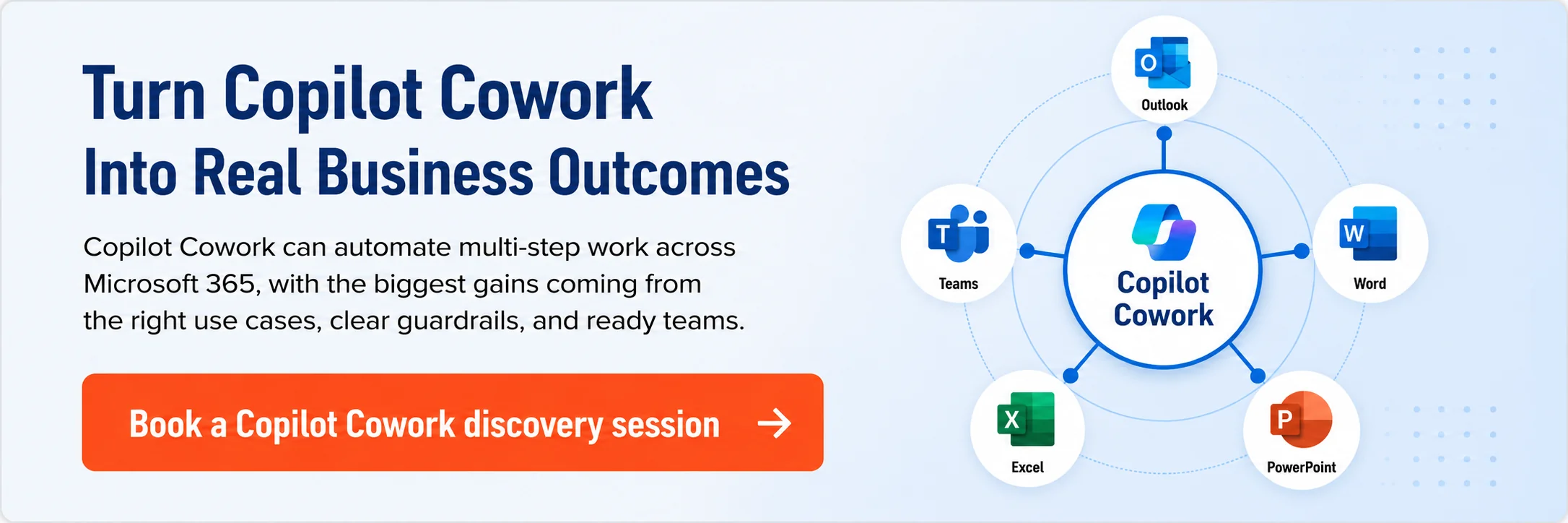
You could ask Cowork to pull together a competitive analysis, generate a branded PowerPoint deck using your company’s fonts and colours, check your calendar for relevant meetings, and drop a summary into a Teams message, all in one instruction.
Not as separate tasks across separate tools, but as one coordinated piece of work that Cowork handles end to end.
That’s a genuinely different proposition from what Copilot could do six months ago.
What’s New at General Availability
The GA release is the most feature-complete version of Cowork yet. Here’s what’s arrived:
- Model choice — You can now pick between Claude Opus 4.8, Claude Sonnet variants, a Sonnet+Opus Advisor pairing, and GPT 5.5, depending on the task at hand
- Image generation — Cowork can generate images using Imagen 2 and saves them directly to your OneDrive output folder
- Local browser use — Cowork can complete web tasks for you in Microsoft Edge, using your existing sign-ins and your organisation’s policies
- Brand templates — PowerPoint decks Cowork creates now apply your business’s brand template, including fonts, colours, and logos
- A Customise page — One place to browse, install, and manage plugins and custom skills, with a guided builder to create new skills through conversation
- Usage-based billing — Admins can see Cowork usage in the Microsoft 365 admin centre and set per-user or per-group limits
The plugin catalogue has also expanded significantly. At launch, it includes connections to Dynamics 365, Jira, Salesforce, ServiceNow, SAP ERP, Workday HCM, Zendesk, and more. If your business runs on any of those platforms, Cowork can work across them without requiring you to switch tools.
Why Model Choice Matters
One of the things I find most interesting about this release is the model selector. When Cowork first appeared in the Frontier program, it was built primarily with Anthropic’s Claude. Now you’ve got genuine choice between multiple models, and Microsoft has indicated that’s very much by design.
Different models are better at different types of work. GPT 5.5 handles complex multi-step reasoning well, while Claude Sonnet is well suited to fast, everyday tasks. Having both available inside one tool, with the ability to pick based on the job, means your team isn’t locked into one approach.
We’ve written about this shift before. If you’re interested in how Microsoft has been building a multi-model Copilot environment, the blog on Microsoft 365 E7 and Agent 365 walks through the architecture behind that strategy and why it matters for businesses who want governance built in from the start.
The Governance Side Businesses Need to Know About
GA doesn’t just mean new features. It also means more admin controls, and that’s actually good news for anyone who’s been cautious about deploying AI broadly.
Admins now have a single place to manage model toggles, control browser use, monitor consumption, and connect Cowork to Microsoft Purview for data governance.
That’s a meaningful step forward for businesses in regulated sectors or with strict data policies.
If you’ve been running a limited Copilot pilot and wondering how to scale safely, the governance improvements in this release are directly relevant. We covered the foundations of securing AI agents in our blog on Entra Agent ID and Purview, and that context is worth revisiting now that Cowork is live for everyone.
Is Your Business Ready to Use It?
This is the question I’d encourage every business leader to sit with honestly. Copilot Cowork is available now, but getting real value from it requires more than just switching it on.
Cowork works best when Copilot already has good access to your business data, your files, your meetings, your workflows. If your Microsoft 365 environment has gaps in how data is structured or governed, Cowork will still work, but it won’t be operating with the context that makes AI output genuinely useful rather than generic.
We’ve seen this pattern in our readiness work with Australian businesses.
The teams who get the most from Copilot have usually done some preparation work first, clearing up permissions, thinking about which data Copilot should and shouldn’t access, and making sure their staff know how to write effective prompts.
If you haven’t done that work yet, a Microsoft 365 Copilot Readiness Assessment is a practical starting point that gives you a clear picture of where you’re at before you expand your investment.
It’s also worth thinking about Shadow AI risk. When a powerful new capability becomes available, well-meaning staff often find their own ways to use it without IT’s knowledge.
If that’s already happening in your business, this blog on Shadow AI covers the warning signs and how to get ahead of it.
What the Agentic System of Work Looks Like Now
Cowork sits inside a broader shift Microsoft has been building toward for the past 18 months. Copilot started as an assistant. It answered questions. Now it’s becoming something that takes actions, manages tasks, and works across your tools and data in ways that don’t need you to be present for every step.
I’ve written before about the agentic system of work and what it means for business teams who are used to managing AI one prompt at a time. Cowork going GA is the clearest sign yet that agentic AI isn’t a future trend. It’s the current reality for businesses who have Microsoft 365 Copilot licences.
The question is no longer whether Copilot can handle complex, multi-step work. It can. The question is whether your business has set things up to get the most from it.
What to Do Next
If you already have Microsoft 365 Copilot licences, Cowork is available to you now. Here’s where I’d suggest starting:
- Check your admin settings — Review the new Cowork governance controls and make sure browser use and model options are set up in line with your data policies
- Identify a high-value use case — Pick one repeating task that involves multiple steps across multiple tools, and trial Cowork on that before expanding
- Brief your team — Make sure the people who’ll use Cowork understand what it can do and where the guardrails are
- Monitor consumption — The new usage-based billing means it pays to keep an eye on how Cowork is being used across your business
On cost, Microsoft has also made a cost estimator spreadsheet available to help you model Cowork usage before you commit. It’s built around Anthropic Opus 4.8 pricing and gives you a simple way to project what Cowork consumption could look like for your team:
You can download it directly here
If you’re not sure where to start or want to understand what Cowork could mean for your specific business, we’re always happy to have that conversation. Reach out to the team at CG TECH.
About the Author
Carlos Garcia is the Founder and Managing Director of CG TECH, where he leads enterprise digital transformation projects across Australia.
With deep experience in business process automation, Microsoft 365, and AI-powered workplace solutions, Carlos has helped businesses in government, healthcare, and enterprise sectors streamline workflows and improve efficiency.
He holds Microsoft certifications in Power Platform and Azure and regularly shares practical guidance on Copilot readiness, data strategy, and AI adoption.

Sources
- Microsoft Learn — What’s New in Copilot Cowork (16 June 2026): https://learn.microsoft.com/en-us/microsoft-365/copilot/cowork/whats-new
- Microsoft 365 Roadmap (16 June 2026): https://www.microsoft.com/en-us/microsoft-365/roadmap
- Microsoft 365 Blog — Copilot Cowork: A New Way of Getting Work Done (9 March 2026): https://www.microsoft.com/en-us/microsoft-365/blog/2026/03/09/copilot-cowork-a-new-way-of-getting-work-done/
- Directions on Microsoft — Copilot Cowork Gets Model Choice Plus Usage-Based Billing (15 June 2026): https://www.directionsonmicrosoft.com/microsofts-copilot-cowork-gets-model-choice-plus-usage-based-billing/
- Firstpost — Microsoft Rolls Out Copilot Cowork Globally (16 June 2026): https://www.firstpost.com/tech/microsoft-rolls-out-copilot-cowork-globally-to-take-on-more-complex-workplace-tasks-14023230.html