Build Was a Big Week. Here Is What Actually Happened.
Every year, Microsoft Build is the conference where developers and engineers get a first look at what is coming next. Most of the coverage that follows is written for people who build software for a living, which means the parts that actually matter for business leaders tend to get buried in technical detail.
So I wanted to write a plain-English summary of what Microsoft announced at Build 2026, then cut to the part I think matters most if you are running a business right now.
Here is the quick version of what was announced across the two days:
- Microsoft Scout, a new always-on AI agent for Microsoft 365, positioned as the first of a new category called Autopilots
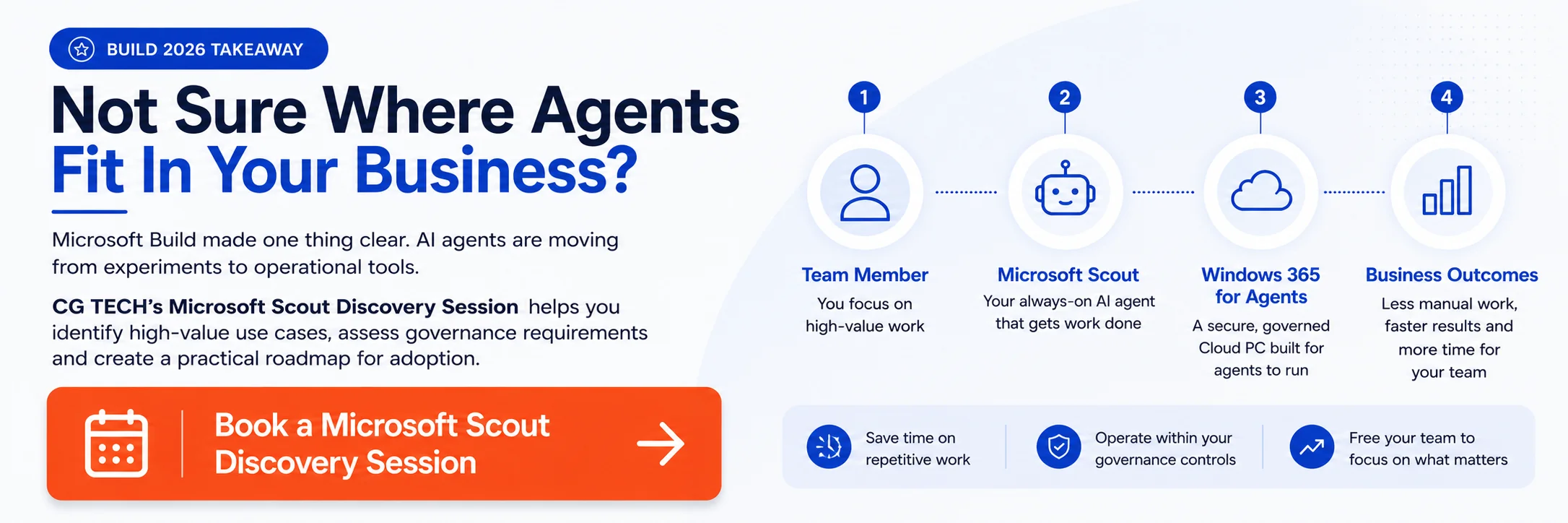
- Windows 365 for Agents, a Cloud PC environment built specifically for running agent workloads in a secure, governed way
- Agent 365, which is now generally available as the tool businesses use to discover, control and govern AI agents across their Microsoft environment
- Microsoft IQ and Fabric updates, a new intelligence layer for agents plus significant new capabilities inside Microsoft Fabric and Power BI
- MAI models, seven new in-house models from Microsoft’s superintelligence lab, including a reasoning model and a fast coding model
- RTX Spark and the Surface dev box, a new developer machine with serious AI compute built in, aimed at people building and running large models locally
- Project Solara, a preview of new agent-first hardware including a desk device and a wearable badge aimed at frontline workers
- Majorana 2, a quantum computing chip that Microsoft says delivers a thousand-fold improvement in qubit performance
That is a long list, and I will be upfront: not all of it will change how your business operates this year.
There are three announcements I think are genuinely worth your attention right now, so let me take you through each one.
The Shift From Copilot to Always-On Agents
What Changed, in Plain English
For the last two years, most businesses have been using AI as a tool you prompt. You ask Copilot a question, it answers. You paste in a document, it summarises. That is genuinely useful, but it is still reactive, meaning it waits for you to start the conversation.
Build 2026 was Microsoft’s clearest signal yet that the agent era is here. The agents announced at Build do not wait to be prompted. They run in the background, they watch what is happening across your business, and they act within boundaries you set.
Microsoft is calling this category Autopilots, and the first one is Scout.
What Microsoft Scout Actually Does
Scout is a personal work agent that runs as a desktop application on Windows and macOS. It connects directly to your Microsoft 365 environment and can read and write files, monitor email threads, join Teams conversations and take multi-step actions on your behalf.
The clearest way to explain it: instead of you opening Outlook and working through 40 emails, Scout can review threads, identify the ones that need a response, draft replies for your approval, and flag anything that looks urgent. You stay in control of what gets sent, but the reading and drafting is handled.
It is built on OpenClaw, an open-source agent platform that I have been experimenting with for a few months now, building agents to help with research, content drafts and workflow tasks.
Seeing those ideas show up on the Build stage with proper Microsoft 365 integration was a genuine moment. If you want to understand the context behind where Scout came from, we wrote about the agentic system of work earlier this year and it is a useful starting point.
Scout is rolling out gradually through Microsoft’s Frontier program, so it will not land in your tenant overnight. But the trajectory is clear, and the right move now is to start thinking about where agents like Scout could help your team, and whether your Microsoft 365 data and permissions are in good shape to support it.
Where the Heavier Work Runs
Windows 365 for Agents
Scout is great for personal, desktop-level work. But what about the bigger, more repetitive jobs that run in the background without a person watching? That is where Windows 365 for Agents fits in.
Microsoft announced significant updates to this service at Build, and it is now generally available.
In simple terms, Windows 365 for Agents is a Cloud PC, meaning a Windows computer that lives in the Microsoft cloud rather than on a physical device, but it is specifically designed for agents to run on, not people.
Think about the kinds of tasks that slow your operations down: processing supplier invoices, running compliance checks, updating CRM records after customer calls, generating weekly reports from multiple data sources.
These are jobs that take hours of staff time but follow a clear pattern every time. An agent running on Windows 365 can handle that kind of work continuously, without needing a laptop, a login or a person to manage it.
Because it plugs into Microsoft Entra for identity management and Intune for policy controls, IT teams can set exactly what each agent can and cannot access.
That is an important detail for businesses thinking about governance, which brings me to the third big announcement.
Getting Control of Your AI Agents
Agent 365 and the Shadow AI Problem
One of the most common conversations I have with business leaders right now is about shadow AI, which is AI tools and agents that teams have deployed themselves, often without IT or the executive team knowing about it.
It happens fast. Someone builds a Copilot Studio bot to handle customer enquiries. A finance team creates a Power Automate flow that calls an AI model. A manager signs up for an external AI tool and connects it to SharePoint.
Multiply that across a 200-person business and within six months you can have dozens of agents running, with no single view of what they are doing or what data they have access to.
Agent 365, which was first announced earlier this year and reached general availability at Build, is designed specifically to solve this. It gives you a central place to discover all the AI agents in your Microsoft environment, apply access policies, monitor behaviour and remove anything that should not be there.
Paired with the work we have written about on securing AI agents with Entra Agent ID and Purview, this gives businesses a practical framework for moving from uncontrolled AI experiments to governed, accountable agent operations.
Microsoft IQ and the Data Behind Your Agents
One thing that has held earlier AI agents back is that they often lack the right context. They can read a file or search the web, but they cannot easily connect what is happening in your business right now with relevant information from the wider world.
Microsoft IQ, announced at Build, starts to close that gap. It is a context layer made up of three parts:
- Web IQ, which gives agents access to live, grounded web data
- Fabric IQ, which connects agents to your operational data through Microsoft Fabric
- Work IQ, which grounds agents in your business’s people, processes and internal knowledge
For businesses already using Microsoft Fabric, the Build announcements went further than just IQ.
Microsoft also announced Fabric Apps, which lets teams build custom web applications directly on top of Fabric data, and a GPU-accelerated data warehouse option for heavier analytics and AI workloads. We have covered how Microsoft Fabric brings the full data lifecycle together in earlier posts, and these updates push that further still.
Power BI also got a meaningful update under the same theme.
Microsoft introduced Agent Skills for Power BI, where you describe what you need, or even share a screenshot, and an agent builds the semantic model, generates the report and iterates on the visuals.
For finance, operations and data teams that spend hours building and maintaining reports manually, this is worth watching closely. You can find more context in our earlier piece on Fabric and database updates for 2026.
What About the Rest of the Announcements?
The other Build announcements are worth knowing about, even if they are further from your immediate decisions.
New MAI models from Microsoft’s superintelligence lab, including a reasoning model called MAI Thinking 1 and a fast coding model called MAI Code 1 Flash, will gradually improve the performance of Scout, Copilot and other agents over time.
More of the AI stack running on Microsoft’s own models means more control over where data goes and how the models behave in enterprise settings.
RTX Spark and the Surface dev box are aimed at developers and engineers who need serious local compute to build and test large models, so they are not a decision most business leaders need to make this year.
Project Solara is an early preview of purpose-built agent hardware, including a desk device for Microsoft 365 Copilot access and a wearable badge for frontline workers. It is an interesting signal about where Microsoft expects agents to live in the physical workplace, but it is a few years from mainstream adoption.
Majorana 2, Microsoft’s quantum chip announcement, is genuinely impressive science. A thousand-fold improvement in qubit performance is a real milestone.
For most businesses, practical quantum computing is still a horizon technology, but it is worth watching as it will eventually reach encryption, simulation and data processing in ways that matter for every industry.
Three Things Worth Doing Right Now
You do not need to act on every Build announcement, but there are a few things worth starting in the next 90 days.
First, get a clear map of the AI agents already running in your business. Agent 365 can help with this, and so can a conversation with your Microsoft partner. You cannot govern what you cannot see.
Second, review your Microsoft 365 data and permissions. Scout and similar agents inherit your existing access settings, so if your data is messy or over-permissioned, an agent will amplify that problem quickly. Our earlier piece on Unified AI Governance: Clear Guardrails for Copilot and Beyond covers why this matters and where to start.
Third, start thinking about where a background agent running on Windows 365 could take repetitive work off your team’s plate. Not every business is ready for that today, but the ones that plan for it now will move faster when they are.
Build 2026 was one of the more consequential Microsoft events in recent years.
Not because of any single announcement, but because the overall direction is now very clear: AI at work is moving from tools you prompt to agents that work alongside you.
The businesses that come out ahead will be the ones that start building the right foundations now.
About the Author
Carlos Garcia is the Founder and Managing Director of CG TECH, where he leads enterprise digital transformation projects across Australia.
With deep experience in business process automation, Microsoft 365, and AI-powered workplace solutions, Carlos has helped businesses in government, healthcare, and enterprise sectors streamline workflows and improve efficiency.
He holds Microsoft certifications in Power Platform and Azure and regularly shares practical guidance on Copilot readiness, data strategy, and AI adoption.

Sources
- Microsoft Build 2026: The 7 biggest announcements | The Verge
- Build 2026: Microsoft Unveils Scout Personal Work Agent | Thurrott
- Microsoft Scout rolling out to Frontier users | Testing Catalog
- Made for developers and agents, Windows 365 at Build 2026 | Microsoft Tech Community
- What’s new in Windows 365 for Agents | Microsoft Learn
- Microsoft Agent 365, now generally available | Microsoft Security Blog
- Build 2026: From data to intelligence, faster with Fabric Data Factory | Microsoft Fabric Community
- Power BI at Microsoft Build 2026: The Agentic Era of analytics | Microsoft Fabric Community
- Microsoft Build 2026 Recap: All AI Announcements | A Guide to Cloud
- Microsoft Build 2026: Be yourself at work | Official Microsoft Blog
- Everything we learned from the Microsoft Build 2026 keynote | Mashable