
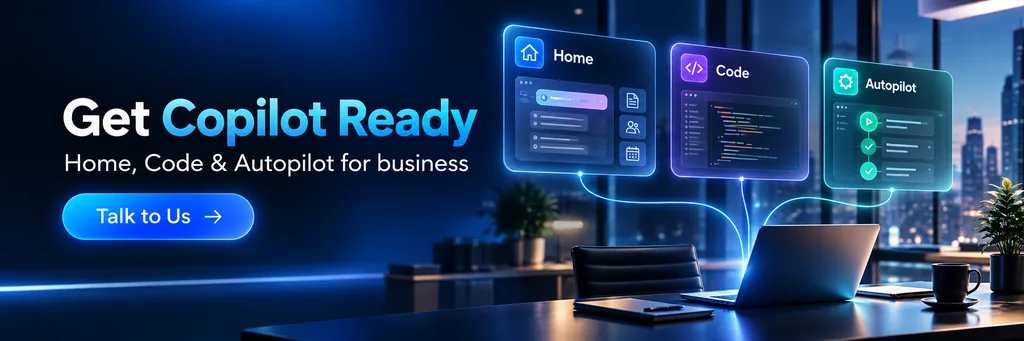
Microsoft has announced a major update to Copilot, bringing together three new capabilities called Home, Code and Autopilot.
On the surface, this looks like a product update. Dig a little deeper and it points to a much bigger change in how Microsoft expects people to use AI at work.
Copilot is moving beyond answering questions and drafting content, it’s becoming a place where people can hand over work, build small business tools and run tasks in the background.
I think that’s the real story.
As Copilot takes on more work, businesses will need to decide what people can delegate, what AI can access and who remains responsible for the result.
Home brings Copilot work together
Home is the new starting point for Copilot, bringing Chat and Cowork into one place.
Chat handles the quick work many people already know, such as answering questions, finding information, preparing a draft or summarising content.
Cowork is designed for larger tasks that can be handed over from start to finish. Microsoft gives examples such as preparing an RFP response, creating a customer briefing or building a launch kit.
Microsoft is also bringing Word, Excel and PowerPoint into the Copilot experience which means someone could ask Copilot to draft a document, model a budget or build a presentation without having to rebuild the work in another app.
The aim is to reduce the steps between describing an outcome and producing something the team can use.
This continues the direction Microsoft set when Copilot Cowork became generally available. Instead of responding to a single prompt, Copilot can work through a longer task and return a completed result for review.
The change may sound small, but it affects how work is assigned.
If someone hands a task to Copilot, they still need to explain the expected result, provide the right information and check the finished work. Giving AI a job doesn’t remove human responsibility. It changes where that responsibility sits.
Code lets people build their own tools
Code could be one of the most useful parts of the announcement.
It allows someone to describe an app, tracker, dashboard, automation or workflow in plain language. Copilot then selects an approach and builds it.
A sales team might create a tracker for customer approvals. An operations team could build a dashboard for a recurring process. A project manager might create a tool for risks, decisions and actions.
Microsoft says Code uses the same underlying technology as GitHub Copilot, it runs in a sandboxed environment and can be hosted within the customer’s Microsoft 365 tenant.
That could help teams replace manual processes without waiting for a large development project. It also gives the people who understand the work a more direct role in shaping the tool.
However, easier app building doesn’t mean every new app should be shared across the business without review.
Someone still needs to answer some basic questions:
- What problem does the tool solve?
- Who owns it?
- What information does it use?
- Who can access it?
- Who checks that it works as expected?
- What happens when the person who built it leaves?
- When should it move into a managed development process?
Microsoft is supporting this through Copilot Managed Runtime, which is currently in preview. It provides hosting inside the Microsoft 365 environment so IT can manage how the code runs and connects to business data.
Staff can create useful tools, while IT retains control over where they run and what they connect to.
Autopilot keeps working in the background
Autopilot takes delegated work further.
Previously called Scout, Autopilot is a persistent agent. A person can give it a name, a role and a goal, then allow it to keep working in the cloud.
Microsoft says it can monitor channels, follow up on conversations, run recurring tasks and return to a project days later. It’s designed to continue working when the user’s attention is elsewhere.
Autopilot can have its own identity, memory, computer and workspace within the customer’s tenant, it can also appear in Teams, Outlook, chats, channels and documents.
This is where Copilot begins to feel less like a feature and more like a digital worker.
If an agent is monitoring activity, contacting people or preparing work in the background, it needs clear boundaries.
Every persistent agent should have:
- A named business owner
- A technical owner
- A specific job
- Approved access to data and systems
- Clear limits on what it can do
- Human approval for higher-risk actions
- A record of the work it completes
- A way to pause or remove it
Australian cyber guidance recommends starting agentic AI with lower-risk tasks, applying least privilege and maintaining human control where actions may have greater consequences.
An agent that checks the status of internal tasks carries a different risk from one that sends customer messages, changes business records or acts on personal information.
They shouldn’t receive the same access simply because they use the same technology.
This is also why businesses need to watch for AI agents acting beyond their intended task. The more tools and information an agent can access, the more important its permissions and monitoring become.
Data, privacy and cost
Copilot can only complete useful work when it has access to useful business information.
If documents are poorly managed, permissions are too broad or teams keep conflicting versions of the same information, giving Copilot more independence won’t fix the underlying problem.
Before enabling a new use case, businesses should check what information the agent needs, who can access it and whether personal or sensitive information is involved.
The Office of the Australian Information Commissioner says Australian privacy obligations can apply when personal information is entered into an AI system or generated in its output. It also recommends due diligence, human oversight and regular monitoring when businesses adopt commercial AI products.
Cost needs similar attention.
Microsoft says common Copilot activities, including answers, drafts, summaries and analysis, remain within the user subscription licence. Cowork, Code, Autopilot and certain advanced models use usage-based billing.
That means a long-running agent may create a different cost pattern from a short Copilot conversation.
Microsoft is adding controls for spending policies, credit requests, model access and usage visibility. Even with those controls, someone within the business needs to own the budget and decide whether the result justifies the cost.
The person starting an agent may not be responsible for the budget it consumes. That’s why Copilot pay-as-you-go billing needs clear ownership before usage grows.
Start with one controlled use case
Home and Code are rolling out through Microsoft’s Frontier program, while Autopilot is moving through private preview. Not every customer will have immediate access to every capability.
That gives businesses time to prepare.
I wouldn’t begin by asking where Autopilot could run across the whole business. I’d start with one recurring, lower-risk task that already has a clear process and owner.
Before starting, answer five questions:
- What result should Copilot produce?
- Which information and systems does it need?
- What can it do without approval?
- Who checks the result and handles problems?
- How will cost and business value be reviewed?
That creates a controlled way to learn before introducing longer-running agents or staff-built apps more widely.
The new Copilot is about more than getting better answers. It gives people new ways to delegate work, build tools and keep tasks moving.
Businesses that set clear ownership, access and review rules now will be better placed to use these capabilities as they become available.
At CG TECH, we help businesses prepare Microsoft 365 for Copilot and AI agents, from permissions and data access through to automation, governance and cost controls. If you’re considering a Copilot pilot, now is a good time to choose the first use case and put the right controls around it.
About the Author
Carlos Garcia is the Founder and Managing Director of CG TECH, where he leads enterprise digital transformation projects across Australia.
With deep experience in business process automation, Microsoft 365, and AI-powered workplace solutions, Carlos has helped businesses in government, healthcare, and enterprise sectors streamline workflows and improve efficiency.
He holds Microsoft certifications in Power Platform and Azure and regularly shares practical guidance on Copilot readiness, data strategy, and AI adoption.

Sources
- Microsoft: Introducing the new Copilot with Home, Code and Autopilotblogs.microsoft
- Microsoft: New Copilot brings Home, Code and Autopilot togethernews.microsoft
- Microsoft Copilot: Product overview and availabilitymicrosoft
- Australian Signals Directorate: Careful adoption of agentic AI servicescyber
- Office of the Australian Information Commissioner: Privacy and commercially available AI products